Scaling hundreds of thousands of database clusters on Kubernetes
By Brian Morrison II |
Containers have made an incredible impact when it comes to making, deploying, and distributing applications.
When building containerized applications, you no longer have to be concerned about dependency mismatches or the age-old “works on my machine” argument. And Kubernetes has simplified deploying and scaling these containerized applications. If a container crashes, Kubernetes can easily spin a new one up to handle the load!
But have you ever wondered if you can run a database in Kubernetes?
The short answer is “yes.” In fact, we utilize Kubernetes extensively at PlanetScale to support hundreds of thousands of databases all over the world. When deploying a database workload to Kubernetes, special considerations need to be made regardless of how big the workload is.
Let's explore how you might want to deploy databases on Kubernetes, and how PlanetScale does it.
A crash course on Kubernetes
Kubernetes is a container orchestration tool used by some of the largest enterprises around the world to manage their fleet of containerized applications.
In a Kubernetes cluster, multiple servers (nodes in Kubernetes parlance) are configured to work together to ensure that the containers deployed to them are always online and available. The smallest deployable unit in Kubernetes is known as a pod, which represents one container or a collection of containers. When a pod crashes for whatever reason, the environment is smart enough to spin up a new instance of that pod to keep the application online, whether that's on the same node or a different one.
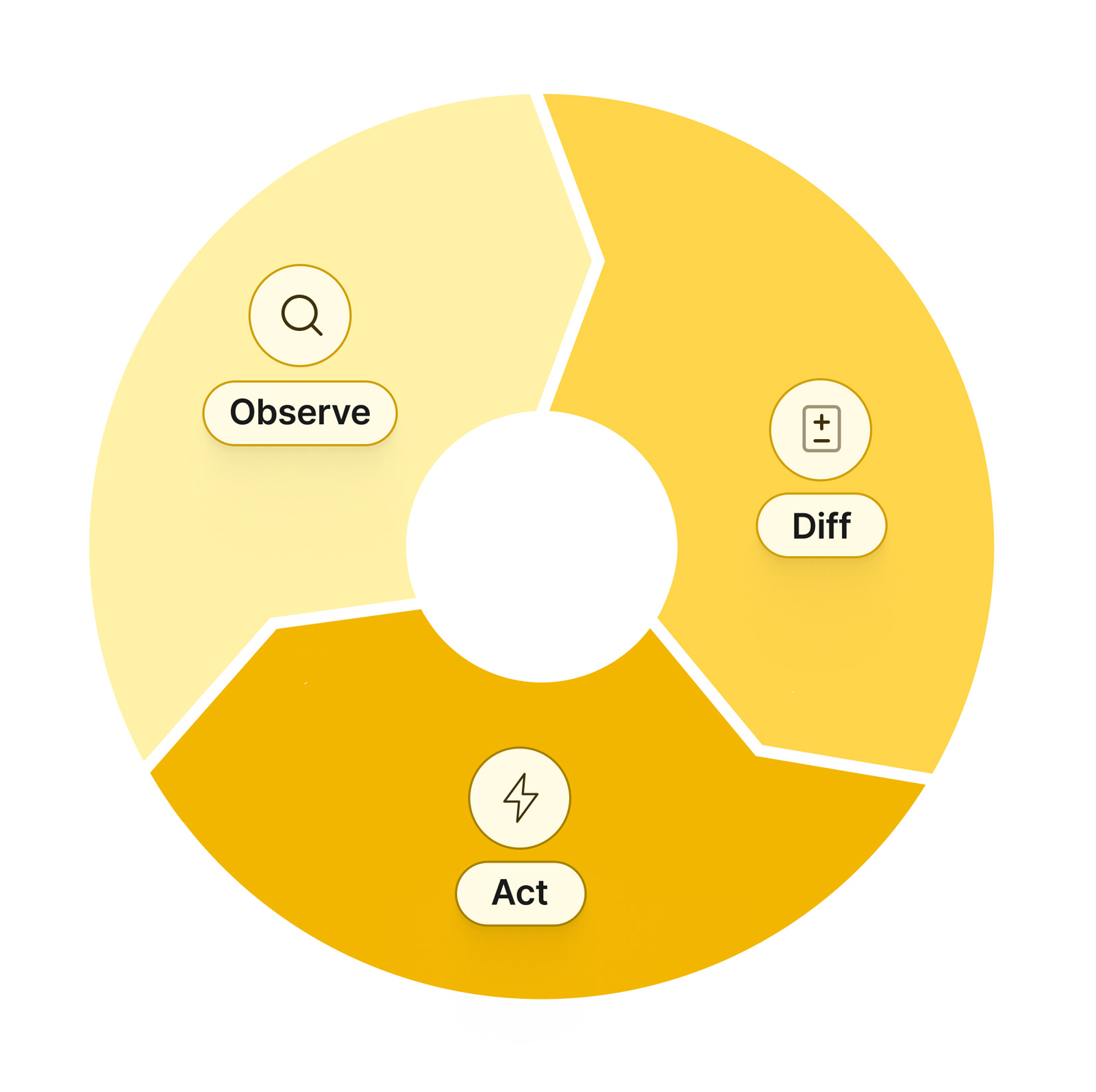
This process is known as the Control Loop.
The Control Loop is managed by the Kubernetes Scheduler. It utilizes configuration files (written in YAML) that define what pods need to be running for a given application to stay online. The scheduler does this by comparing what's defined in the config file vs. what’s actually deployed on Kubernetes and taking the necessary steps to reconcile the differences.
This type of setup works great for applications, but what happens when your database is running on a pod that crashes?
The issue with running databases on Kubernetes
The main concern with databases on Kubernetes is that they are stateful.
The statefulness of a specific workload references whether the data related to that workload is ephemeral or not. Applications deployed to Kubernetes should be built with this in mind. If a container within a pod crashes, any data being stored within the container is essentially lost. With databases, the state of the data within the database is kind of important, which is why special considerations need to be taken when deploying the database to Kubernetes.
According to the official docs, StatefulSets are the recommended way to run a database on Kubernetes.
StatefulSets in Kubernetes allow you to define a set of pods that maintain the state of the data within a pod regardless of its online status. Kubernetes does this by attaching persistent storage to the pod for it to read and write data to, as well as ensuring that when pods come online, they do so in the same order, with the same name and network address every time. This is in comparison to something like a deployment, which aims to keep a specific number of a given pod online but doesn’t care in what order they come up with as long as they are accessible.
Whenever you want to deploy a database to Kubernetes, StatefulSets should be used, but other considerations are needed to run a database on Kubernetes properly.
Considerations when deploying MySQL to Kubernetes
Deploying a well-architected MySQL setup to Kubernetes is more complicated than just deploying a bunch of pods running MySQL.
Replication and node failures
MySQL can be launched with replication enabled, which permits data to be synchronized across the pods in a given StatefulSet, but what happens when a node experiences an outage?
Source of truth
Within the replicated environment, how do you know which of the pods has the most up-to-date data, and how should your application determine which pod to query from?
Backups and restores
Backups are always necessary to ensure that your organization can roll back accidental writes, but in an environment with multiple MySQL instances running, where do the backups come from, how do you know they are complete, and how should you restore them?
How PlanetScale manages hundreds of thousands of MySQL database clusters
Until this point, much of what has been discussed in this article is considered best practices when running databases on Kubernetes, but we do things a bit differently here at PlanetScale.
Leveraging Vitess on Kubernetes
It’s no secret that PlanetScale uses Vitess to manage and operate our databases, but there’s more to the story than that.
Vitess is an open-source, MySQL-compatible project that is designed to scale beyond the traditional capabilities of MySQL. It does this by providing additional components on top of MySQL such as a stateless proxy (known as VTGate) and a topology server. In a Kubernetes environment, these two components are used together to determine how many MySQL instances exist, how to access them, and (in a horizontally sharded configuration) on which pod the requested data lives. Those MySQL pods in Vitess are known as a tablet, which is a pod running MySQL along with a sidecar process known as vttablet. This allows the management plane (vtctld) to manage them, as well as notify the overall configuration of any topology changes. All of this functionality is bundled into Vitess, but it also adds the question of how Vitess is managed.
This is where PlanetScale Vitess Operator for Kubernetes is used.
Kubernetes offers a great deal of automation, but some workloads require a bit more logic than out-of-the-box Kubernetes is prepared to handle. Operators allow developers to extend Kubernetes by adding custom resources that add to the Control Loop. The Vitess Operator addresses the issues outlined in the previous section by enabling Kubernetes to streamline these otherwise complicated management tasks.
The combination of Kubernetes, Vitess, the PlanetScale Operator, and our global infrastructure is what has enabled us to scale and manage hundreds of thousands of MySQL database clusters.
Deploying new databases
When a user needs to deploy a new database into our infrastructure, the first step is that our API sends a request to our custom orchestration layer asking for that database to be created.
Provided the request is valid, the orchestrator will define a custom resource definition we use to define the specifications of a PlanetScale database. The Operator discussed in the previous section will use the built-in mechanism of Kubernetes (specifically, the Control Loop and the API) to detect that the current state and desired state do not match. The Operator will create the necessary resources to run and operate a Vitess cluster for the requested database.
Once this process is completed, our orchestrator will notify the rest of the system that the creation process is done and the user can start using the database.
Storage management
Here is where things start deviating from what's considered common knowledge when running databases on Kubernetes.
As discussed earlier, the recommended best practice is to use StatefulSets to run databases since the state is automatically tracked by Kubernetes. We actually don’t do this and opt instead to use the logic built into the Vitess Operator to spin up pods that attach directly to cloud storage using a persistent volume claim (PVC). Because we already have a routing mechanism in place (VTGate), we don’t need to be concerned about the name or address of a given pod.
Attaching directly to cloud storage also allows us to programmatically manage how much storage is allocated.
As database utilization is increased, the required storage to operate a database often increases with it. To address this, we have monitoring mechanisms in place to detect when provisioned cloud storage that serves a database starts nearing capacity. When this occurs, our internal systems will use the cloud providers’ APIs to automatically allocate additional space so the databases that are being served by that storage do not stop from capacity issues.
This process occurs entirely behind the scenes so our users never have to worry about running out of space for their database.
Database backups
Regardless of where you run your database, backups should be first-class citizens as they can literally save your business.
One consideration around backing up your database, especially with more extensive databases, is the performance impact that running a backup can have. To avoid this issue, we actually utilize Vitess to create a special type of tablet that's ONLY used for backing data up. To back up a database on PlanetScale, our system will restore the latest version of the backup to this tablet, replicate all of the changes that have occurred since the backup was taken, and then create a brand new backup based on that data.
This not only significantly decreases the impact on the production database but also has the added benefit of automatically validating your existing backups on PlanetScale!
Mitigating failures
Most databases in PlanetScale operate on either AWS or GCP and as robust as those platforms are, we also have to consider how to address failures beyond our control.
Using Kubernetes and the Vitess Operator allows us to automatically handle instances when a pod or container within that pod gets stopped. The configuration for each database in Kubernetes defines how many resources and of what type should be running at any time. If a deviation is detected, the Operator will automatically take the necessary steps to spin up new resources to ensure things are always running smoothly.
Another type of outage we protect against for our paid production databases is when availability zones go offline.
Using Base plan databases as an example, we automatically provision a Vitess cluster across three availability zones in a given cloud region. This includes the tablets that serve up data for your database, as well as the VTGate instances that route queries to the proper tablets. This means that if an AZ gets knocked offline, the Vitess Operator will automatically detect the outage and apply the necessary infrastructure changes to keep our databases online.
In fact, we don't even support cloud regions with less than three availability zones!